Exporting for Rightmove and Zoopla
One click exports sized correctly for each portal: Rightmove at 1024x768 and Zoopla at 1600x1200.
- Who it's for
- Estate and letting agents uploading to property portals.
- Cost
- Free, exporting costs no credits
- Availability
- All plans, watermark rules apply on the free tier
- 1
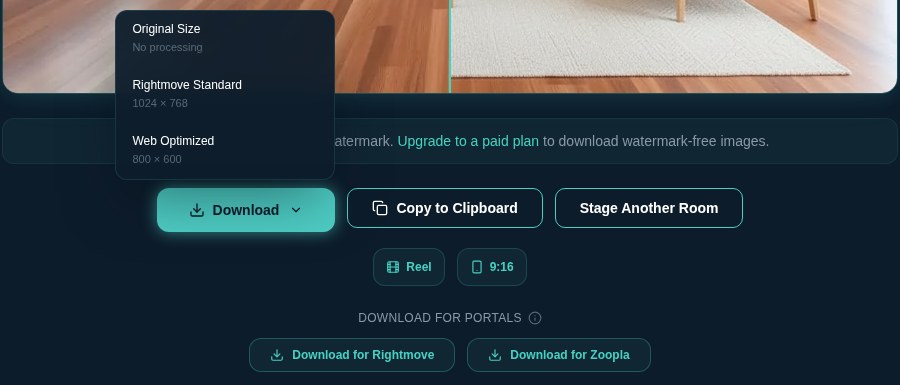
Open the download options on a result
Every staged result has download presets alongside the plain download.
- 2
Choose Rightmove or Zoopla
Rightmove exports at 1024x768 and Zoopla at 1600x1200, both 4:3, matching each portal's recommended dimensions. The file is named so you can tell the two apart in your downloads folder.
- 3
Upload to the portal as normal
No further resizing needed. If your CRM re-compresses images, upload the Zoopla sized version, which has more headroom.
- 4
Consider disclosure
Portals have their own policies on virtually staged imagery, and they change. Check the current guidance for your listing, and as a general rule state clearly that a photo is virtually staged.
Common problems
My original photo was portrait
The 4:3 presets will crop it heavily. Shoot landscape where you can, and crop to portrait afterwards only for social.
The download has a watermark
Free tier downloads include a watermark. On paid plans it is on by default and you can switch it off with one tap.